

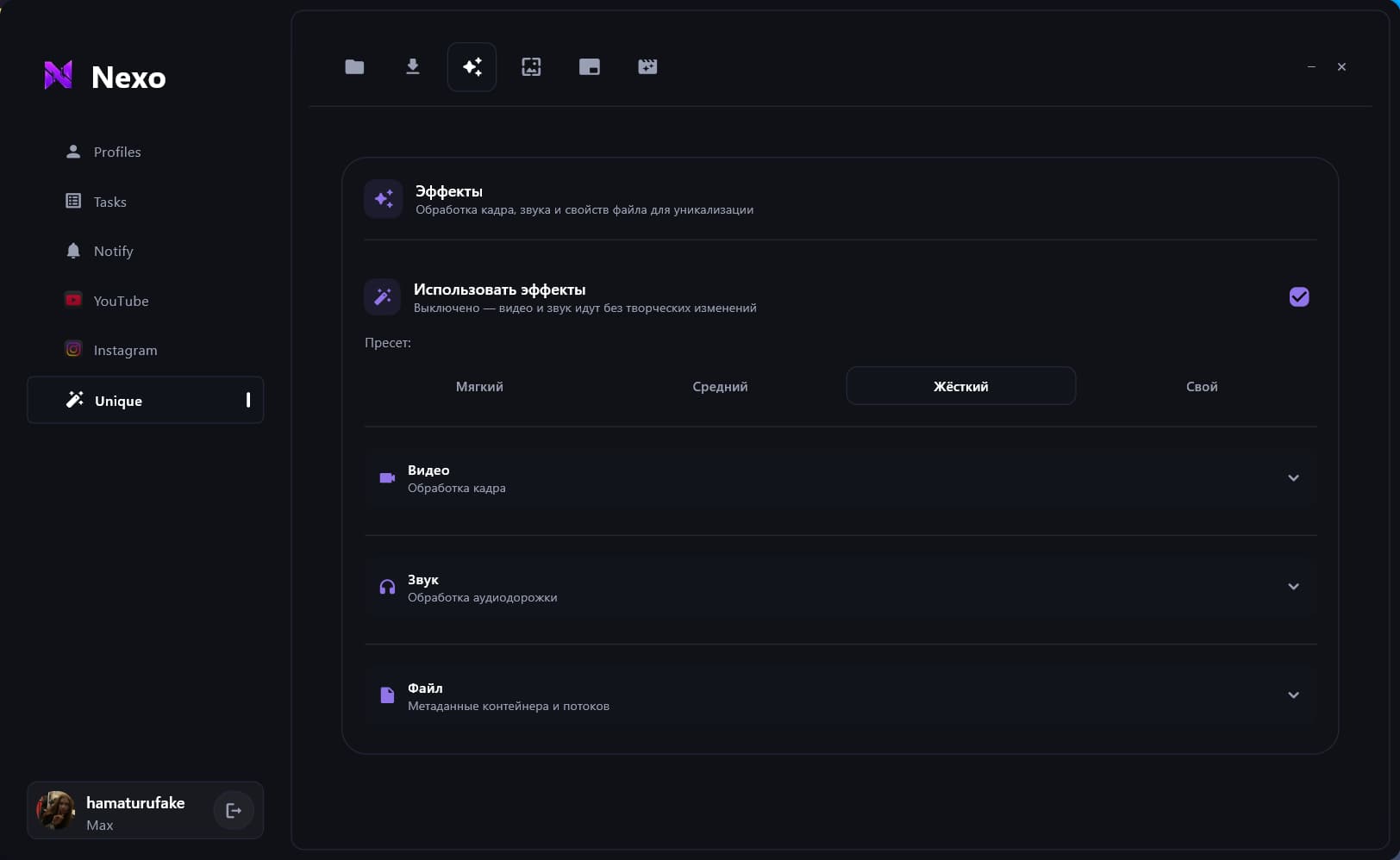
One source. Multiple versions.
Adjust visuals, audio and styling to your settings.
Nexo Uploader automates your daily work on YouTube and Instagram, from setting up profiles to publishing videos, Reels and Stories. The built-in video tool creates multiple unique versions from a single video, adjusting visuals, audio and styling to your settings. Choose your accounts, prepare your content and start publishing — Nexo handles the routine. Grow your channels, test new ideas and launch more projects without uploading every file by hand.
Drag to explore. Press Space to pause or resume the animation.
Create content variations, manage your accounts and publish to YouTube and Instagram.
Swipe or drag to browse the cards. Use the left and right arrow keys, Home and End to navigate with a keyboard.
Adjust visuals, audio and styling to your settings.
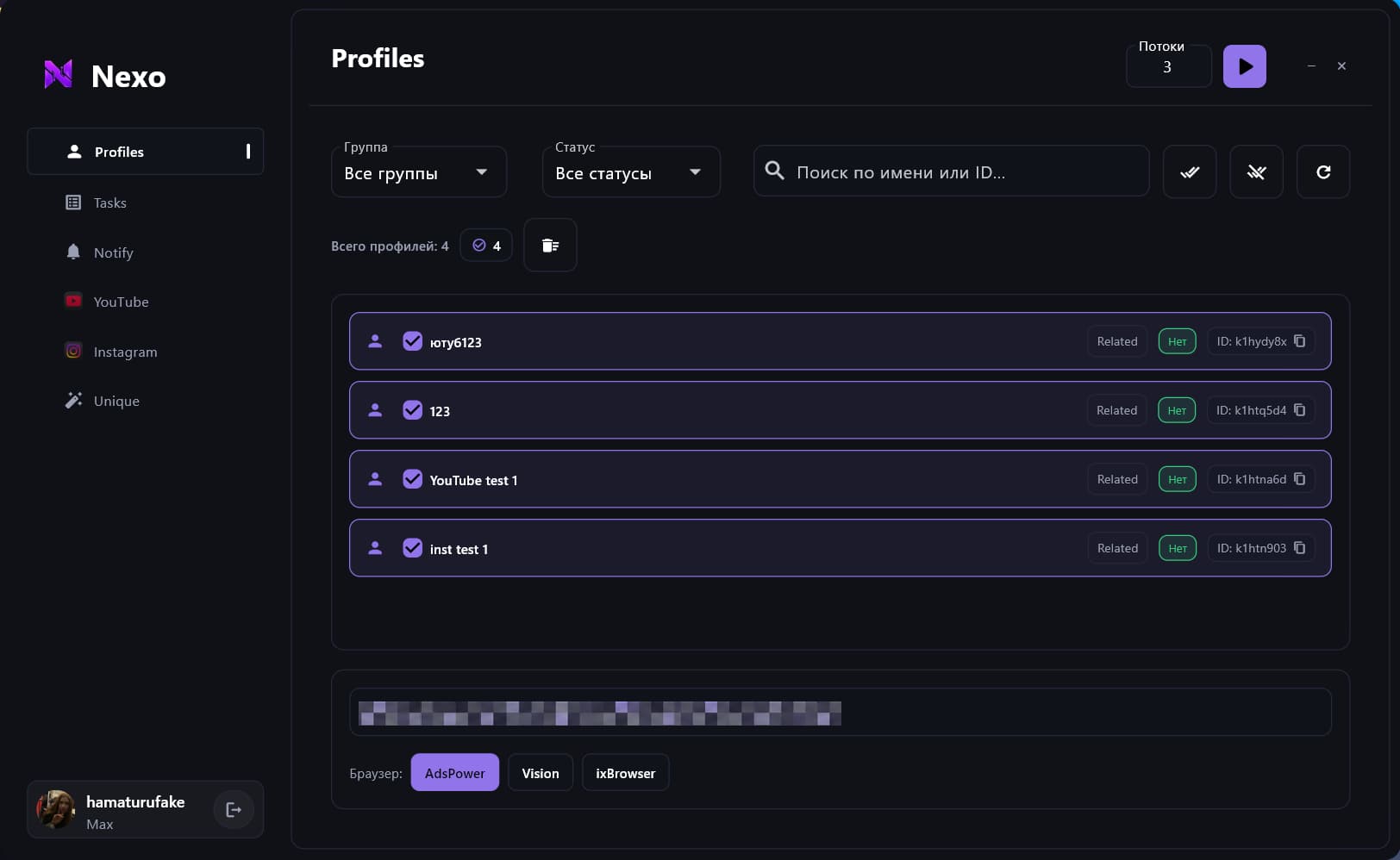
Choose accounts to work with YouTube and Instagram.
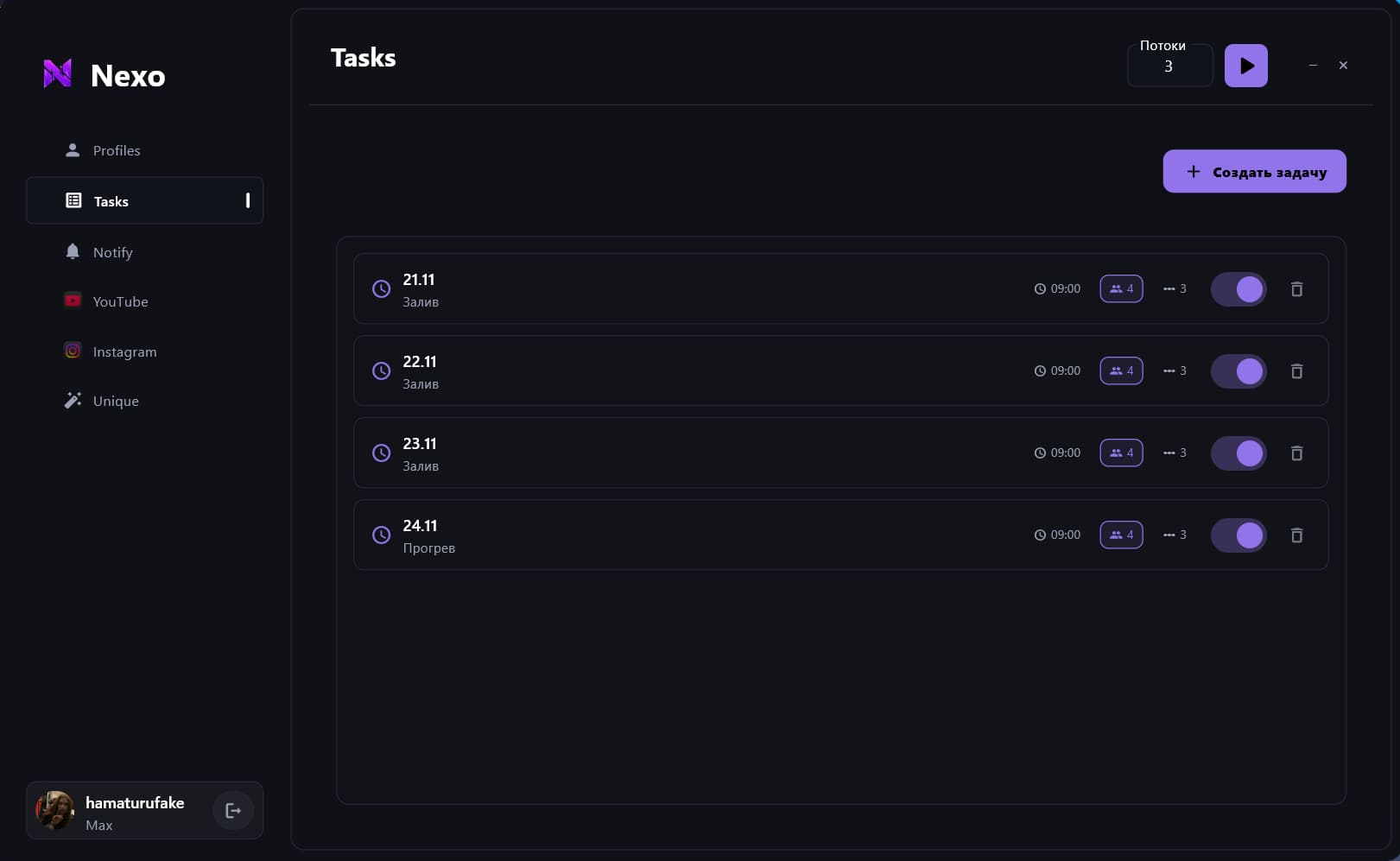
Prepare your videos in advance and set a publishing time on YouTube.
Pricing
Choose the platforms and access duration that fit your content workflow. Find your way to work with Nexo.
For managing YouTube channels and videos.
$150
for 1 month
What's included
For managing profiles, Reels and Stories.
$200
for 1 month
What's included
Both platforms and all your tools in one plan.
$300
for 1 month
What's included
One platform or both. Choose Standard for YouTube or Instagram. Pick Max to work with both platforms.
Content variations included. Available in Standard and Max — no separate purchase needed.
Bigger team? Need custom terms? Get in touch — we'll help you find the right plan for your workflow.
Add your videos, choose your channels and set a publishing time. Nexo queues your uploads and publishes them on schedule. Keep upcoming tasks in view while you work on your next video.
YouTube
In this walkthrough
Choose channels
Your accounts, together. Choose channels to publish to from one app.
Prepare on your time. Queue your next videos whenever it suits you.
Uploads on schedule. Set a time for each task and let Nexo publish it.
Posts, Reels and Stories — for different ideas and different profiles. Choose your accounts, prepare your content and start publishing in Nexo.
In this walkthrough
Profiles
A place for every format. Work with posts, Reels and Stories in one app.
The right profiles at hand. Choose the accounts you are preparing content for.
Publish from Nexo. Add your content, check the settings and start the upload.
Start with a video you already have. Adjust visuals, audio and styling to your settings and create new versions for your next posts. One piece of content becomes the starting point for the next.
Content variations
In this walkthrough
Source files
Start with existing content. Create variations from your original video.
Make the changes you need. Adjust visuals, audio and styling to fit your task.
Prepare for publishing. Get your versions ready for the channels and profiles you choose.
Something else on your mind? Get in touch
 YouTube
 Instagram